Kontakt API
The Kontakt API lets your backend send people, events, leads, orders, and consent into Kontakt, and work with wallets, codes, and referrals. Everything on this page applies to every endpoint.
Use the API when your own systems hold the data Kontakt needs: sign-ups, purchases, account changes, or form submissions. Events you send start journeys, update audiences, and give AI agents context, the same way events from Shopify or webhook sources do.
For the full list of fields on every endpoint, see the API reference.
Base URL
https://api.usekontakt.com/v1All requests use HTTPS. Request and response bodies are JSON.
Get an API key
You need a role that can change workspace settings.
Open API Keys
Go to Settings / API Keys and click Create API Key.
Name the key
Enter a Key name that says where it is used, such as Production backend. Use a separate key for each system that sends data, so you can switch one off or rotate it without affecting the others.
Copy the key
Click Create API Key. Copy the key from API Key Ready with Copy to Clipboard and store it in your secrets manager. Kontakt shows it only once. Tick I have saved this API key securely and click Close.
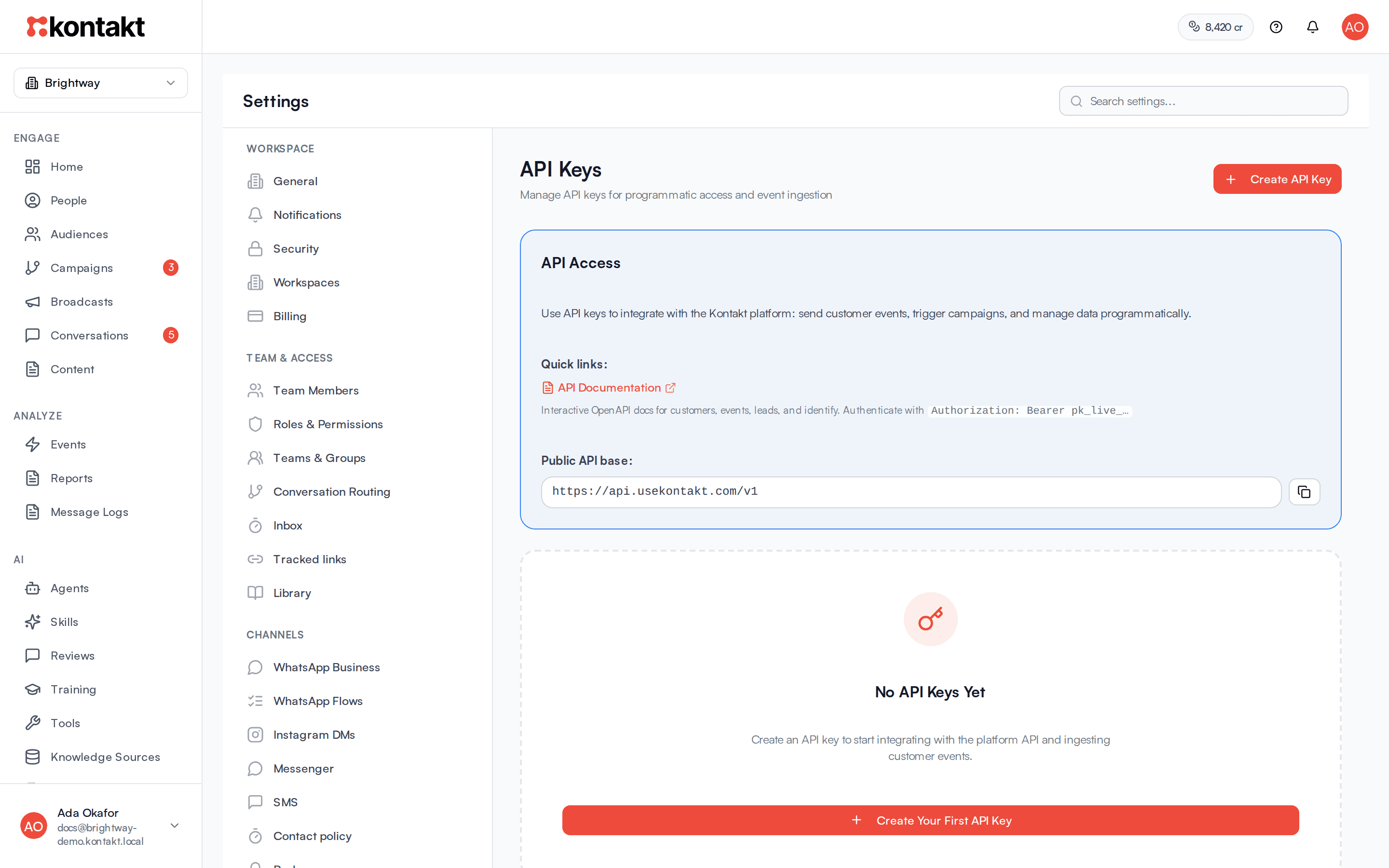
Keys start with pk_live_. A key belongs to one workspace and can call every endpoint on this page. There is no separate test mode, so every call changes real data. To experiment safely, create a second workspace for testing and use a key from it. See Workspaces.
Rotate or delete a key
Open the key's menu on the API Keys page:
- Rotate issues a new key and stops the old one immediately. Update your systems right away.
- Delete removes the key for good. Type
DELETEto confirm.
Authenticate
Send the key as a bearer token in the Authorization header on every request:
curl https://api.usekontakt.com/v1/ping \
  -H "Authorization: Bearer pk_live_your_key"
{ "status": "ok" }GET /v1/ping checks that your key works. It needs the key like every other endpoint and counts toward the key's rate limit.
| Problem | Status | Error code |
|---|---|---|
| Header missing, key wrong, rotated, or deleted, or the workspace is not active | 401 | UNAUTHORIZED |
| A dashboard session token was used instead of an API key | 403 | FORBIDDEN |
Endpoints
| Area | Endpoints |
|---|---|
| People | POST /customers, POST /identify, POST /customers/{id}/devices |
| Events and leads | POST /events, POST /leads |
| Commerce | POST /orders |
| Consent | POST /consent |
| Wallets | GET /customers/{id}/wallet, POST /customers/{id}/wallet/credit, POST /customers/{id}/wallet/debit, GET /customers/{id}/wallet/transactions |
| Codes | POST /codes/validate, GET /codes/code-batches/{id}/stats |
| Referrals | GET /customers/{id}/referral, POST /referrals/attribute |
| SMS | GET /sms/senders |
| Health | GET /ping |
{id} is always the Kontakt customer ID, the id returned by POST /customers. When to use each ingestion endpoint is covered in Ingestion.
Requests
- Send
Content-Type: application/jsonon every request with a body. - Bodies can be up to 1 MB.
- Send phone numbers in E.164 format, such as
+2348030000000. - Send timestamps in ISO 8601, such as
2026-10-22T09:30:00Z.
Responses
Successful responses wrap the result in data and add a request ID in meta:
{
  "data": {
    "event_id": "8a1f0c3e-6b7d-4c51-9a8e-2f4d1b0c9e77",
    "customer_id": "3c9e2b14-0f6a-4d2b-8c71-5e9a0d3f1b28",
    "event_name": "plan.upgraded",
    "properties": { "plan": "pro" },
    "timestamp": "2026-10-22T09:30:00.000Z",
    "customer_created": false,
    "warnings": []
  },
  "meta": { "request_id": "5d0b8f7e-2a41-4c9b-b0e3-7f1c6a2d9e54" }
}
Every response also carries an X-Request-Id header with the same value. Send your own X-Request-Id header to use your ID instead. Include the request ID when you contact support.
GET /ping is the one exception: it returns {"status": "ok"} without the data wrapper.
Errors
Errors use one shape:
{
  "error": {
    "code": "VALIDATION_ERROR",
    "message": "event is required and must be a string",
    "details": {}
  },
  "meta": { "request_id": "5d0b8f7e-2a41-4c9b-b0e3-7f1c6a2d9e54" }
}| Status | Code | Meaning |
|---|---|---|
400 | INVALID_JSON | The body isn't valid JSON |
401 | UNAUTHORIZED | Missing or invalid API key |
403 | FORBIDDEN | Not authenticated with an API key |
404 | NOT_FOUND | The person or resource doesn't exist, or the path is wrong |
413 | PAYLOAD_TOO_LARGE | The body is over 1 MB |
422 | VALIDATION_ERROR | A field is missing or invalid, or identities conflict. message says which. |
429 | RATE_LIMIT_EXCEEDED | This API key is over 1,000 requests per minute. Wait for the Retry-After header's seconds, then retry. See Rate limits. |
500 | INTERNAL_ERROR | Something went wrong on our side. Retry with backoff. |
Treat any 5xx as retryable and any 4xx other than 429 as a problem to fix before retrying.
Wallet and code endpoints
The wallet and code endpoints return some errors in a shorter form. Check the status code first, then read error as a string:
| Endpoint | Status | Body |
|---|---|---|
| Wallet credit or debit with an invalid field | 400 | {"error": "<what is wrong>"} |
| Wallet debit with too few points | 422 | {"error": "Insufficient balance", "current_balance": 40, "required": 100} |
POST /codes/validate with an invalid field | 400 | {"error": "<what is wrong>"} |
| Code batch stats for an unknown batch | 404 | {"error": "Batch not found"} |
Accepted but ignored: 202
If a workspace admin switched off your API key, or one event from it, under Events / Sources, POST /events, POST /leads, and POST /orders answer 202 and record nothing:
{ "data": { "event_name": "lead_captured", "ignored": true, "reason": "event_off" }, "meta": { "request_id": "..." } }reason is source_off when the whole key is off and event_off when only that event is. Don't retry these. Ask the workspace admin to switch the source back on if it was a mistake.
Idempotency
Retrying a request should never create duplicates. These fields make retries safe:
| Endpoint | How to make it safe to retry |
|---|---|
POST /events, POST /leads | Send idempotency_key. A repeat returns 200 with "deduplicated": true and the original event_id. Keys are unique across your whole workspace, so include the event type in them. |
POST /orders | Orders are matched on store_id and order_id. Sending the same order again updates it instead of adding a second one. |
POST /customers | Matched on customer_id, user_id, email, or phone, so repeats update the same person. |
| Wallet credit and debit | Send idempotency_key. A repeat returns the original transaction instead of moving points again. |
Pagination
GET /customers/{id}/wallet/transactions is the only list endpoint. Page with limit (default 50, maximum 200) and offset. The response includes:
"meta": {
  "request_id": "...",
  "pagination": { "total": 128, "limit": 50, "has_more": true }
}
Increase offset by limit until has_more is false.