Referrals
A referral programme gives each customer a personal code. When a friend they refer qualifies, the friend gets wallet credit straight away and the person who shared gets theirs after a hold period.
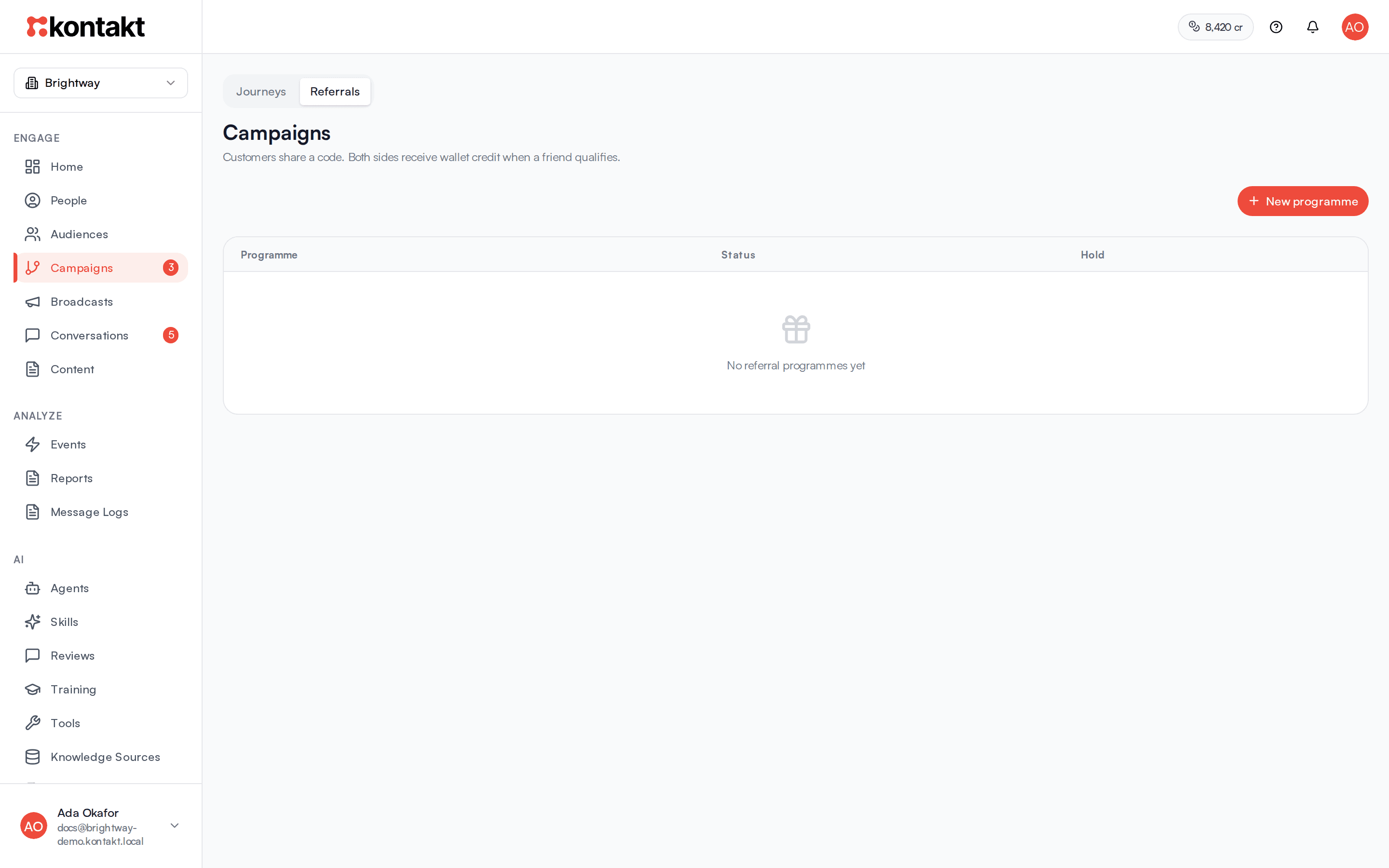
Referral programmes live under Campaigns. Click Referrals at the top of the page to switch from journeys. The page reads "Customers share a code. Both sides receive wallet credit when a friend qualifies."
A referral code is not a discount code. It identifies who sent the friend, and rewards are paid into each person's loyalty wallet.
Before you start
- Set up the loyalty wallet first, so rewards have a unit such as points. See Loyalty wallet.
- Friends qualify when they place an order, so orders need to reach Kontakt. Connect Shopify or send order events through ingestion.
- You need a role that can create and edit campaigns. See Roles and permissions.
Create a programme
Start a programme
Go to Campaigns / Referrals and click New programme.
Name it and set the rewards
Enter a Name, for example "Friends of the shop". Set Wallet credit for the person who shares, which is paid after their friend's order clears the hold, and Wallet credit for the friend, which is paid as soon as they qualify. Amounts are in your wallet unit.
Create the draft
Click Create draft. The programme opens below the list.
Go live
Click Activate. Kontakt confirms with "Programme is live".
Give customers their code
Each customer gets their own code the first time one is requested for them. A code can be created by:
- an AI agent using the Get Referral Link tool, which replies with the customer's code and link in chat. See Tools.
- your own app or site, through the API. See API reference.
Once a customer has a code, and while the programme is active, journey messages can include it with {{ referral.code }} and {{ referral.link }}. You can also use {{ referral.successful_count }} and {{ referral.pending_count }}, for example in a "you have brought 3 friends" message.
A customer's profile in People shows a Referrals card with their code, how many friends were rewarded, and how many are still in the hold.
How a friend is linked to the person who shared
A friend is linked when any of these happen:
- Your app or site tells Kontakt who they are along with the code they entered or the referral link they opened. Link clicks count for 30 days. See Ingestion.
- Their order carries the code, as a discount code or as
ref=CODEin the link they arrived from.
A person cannot refer themselves. If the friend has the same phone number or email as the person who shared, the referral is rejected.
How rewards are paid
- The friend orders. If they were linked within the attribution window (30 days by default), the referral moves to In the hold period and the friend's wallet credit is paid.
- The hold period passes. By default rewards wait 14 days. The list shows this as "Rewards wait 14 days".
- The person who shared is paid. Their wallet is credited and the referral shows Reward paid.
If the friend's order is refunded or cancelled during the hold, the referral is rejected and the person who shared is not paid. The friend's credit, already paid, is not taken back automatically.
Click Pause on a programme to stop new friends qualifying. Referrals already in the hold are still paid when their hold ends.
Each step records an event you can use as a journey trigger: referral.converted on the friend when they qualify, and referral.qualified on the person who shared when their reward is paid. Use these to send a thank-you or a "your reward is on its way" message.
Track a programme
Click a programme in the list to see:
- counts for each stage: Invited, Clicked a link, In the hold period, Waiting for a review, Reward paid, and Rejected
- Who has brought the most friends, with rewards paid and still in the hold for each person
- Recent friends, with their status, and the reason for any rejection
Custom referral rewards in store credit
If your referral rules live in your own system, for example a percentage of each order paid as Shopify store credit, build them as journeys instead of a programme. Shopify holds the balance, and Kontakt credits and reverses it.
A typical setup uses three journeys:
- Reward. Trigger: Event Occurs on your paid-order event, with Count entries per set to Each order or item and the order ID as what makes each entry unique. An API Call step asks your system who referred this customer and how much to pay. Condition Check steps stop the journey when there is no referrer or a limit is reached. A Credit Shopify Store Credit step pays the reward, and a second API Call reports it back. To tell the referrer, add a Send Email step with Send to set to Someone else, e.g. their referrer. The email can show what they earned with
{{ nodes.<credit step id>.amount }},currency,balance, andexpires_at. - Reverse on refund. Trigger: your refund event. A Reverse Shopify Store Credit step takes the credit back.
- Reverse on chargeback. The same, triggered by your chargeback event.
Credit Shopify Store Credit settings:
- Store, and Who gets the credit: The customer in this journey, or Someone else, e.g. their referrer. For someone else, choose Find them by (Shopify customer ID, Your user ID, Email, Phone, or Kontakt customer ID) and a Value, usually a field from the earlier API Call.
- Amount and Currency. Leave currency empty to use the store currency.
- Credit once per: set it to the order ID so retries never pay twice. Empty means once per journey run.
- Expires after (days), optional.
- Reference: what the credit is for, usually the order ID. The reverse step finds the credit by this.
- Keep with the credit: extra values, such as your own referral ID, that the reverse step gets back.
The step continues on Success (credited, or already credited for this key) or Failed (no recipient, not a Shopify customer, missing permission, or Shopify refused).
Reverse Shopify Store Credit takes the same Reference. Leave Amount empty to take back everything left of the credit, or enter a partial amount. Set Reverse once per to the refund or dispute ID. On the Failed path, the step's error says why:
grant_not_found: no credit was paid with that reference.insufficient_balance: the customer already spent the credit.already_reversed: the credit was already fully taken back.
Shopify customer accounts
Shopify only applies store credit at checkout when the customer is signed in, so turn on customer accounts in your store.
Troubleshooting
A friend ordered but no referral appeared
Check that the programme is Active, that the friend was linked before or with the order, and that the order arrived within the attribution window. Check the order event reached Kontakt on the Events page.
The person who shared has not been paid
Rewards wait for the hold period. Check the Hold column for the programme. If the friend's order was refunded or cancelled during the hold, the referral shows Rejected.
The friend was rejected with self_referral
The friend's phone number or email matches the person who shared.