Connect a shared or personal mailbox. New email lands in Conversations, and your team replies from Kontakt as that mailbox.
Connecting a mailbox brings its email into Conversations next to your chat channels. Replies go out from the mailbox itself, so customers see your normal address and the thread stays intact in your email account. Email sent from a mailbox doesn't use credits. Mailboxes count toward your plan's allowance.
Before you start
- A Google (Gmail or Google Workspace) or Microsoft (Outlook or Microsoft 365) mailbox you can sign in to. Other providers can be connected with Other provider….
- A role that can change workspace settings.
- Room in your plan's mailbox allowance, or a paid plan to add an extra mailbox. See Add-ons.
Connect a mailbox
Open Email settings
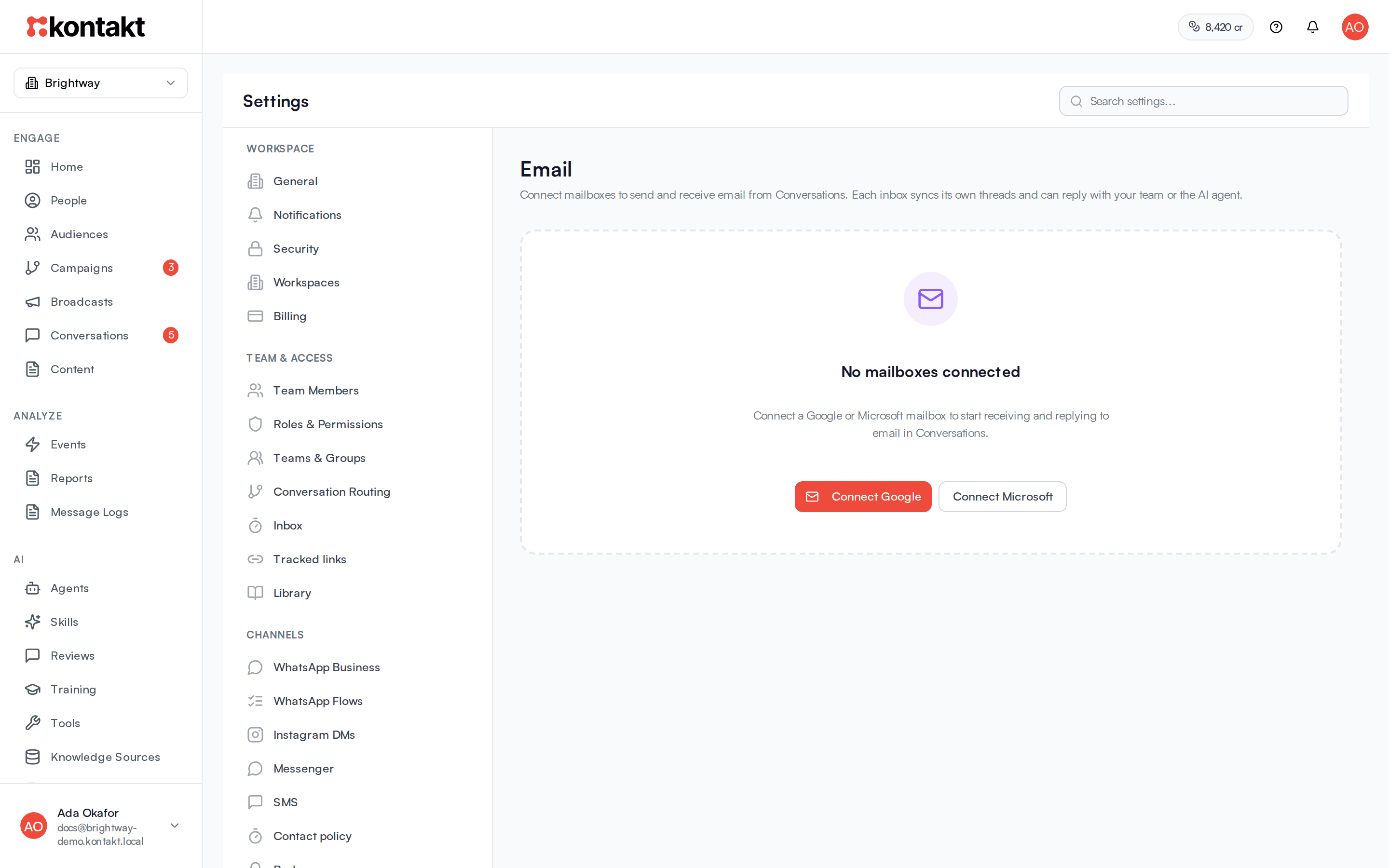
Go to Settings / Email. If nothing is connected you see No mailboxes connected.
Choose the provider
Click Connect Google or Connect Microsoft. If a mailbox is already connected, click Add mailbox and choose Connect Google, Connect Microsoft, or Other provider….
If your allowance is full, Kontakt shows what an extra mailbox costs per month before you continue.
Sign in and allow access
Sign in to the mailbox and allow the access the provider asks for. You return to Kontakt with "Mailbox connected."
Import recent threads (optional)
Click the import button on the mailbox, labelled Import prior threads. See Importing past email.
Decide whether the AI can send
Turn on Let AI send from this mailbox if the AI agent may send replies on its own. It is off by default.
How it behaves
Replying
Open an email conversation in Conversations to reply, reply all, or forward. Replies keep the subject and thread, and are sent from the connected mailbox.
The AI agent and email
Let AI send from this mailbox controls what the AI does on that mailbox:
- Off (default): the AI agent can draft replies, but a teammate must send them.
- On: the AI agent can send replies itself.
Email older than 24 hours when it reaches Kontakt is treated as past mail. It shows in the inbox, but the AI doesn't reply to it.
Importing past email
Import prior threads brings in recent email so your inbox has context. The first import covers the last 7 days. Later imports pick up from the previous import. Imported mail doesn't trigger AI replies, auto-assignment, or notifications. To use imported threads for AI training, open Training under AI. See Reviews and training.
Mailbox allowance
The card at the top shows Mailboxes used against your plan, the price of an Extra mailbox (or Paid plans only), and Over your allowance if you have more than your plan includes. Click Manage add-ons to change it. See Add-ons.
When a mailbox needs reconnecting
If the provider revokes access or the sign-in expires, the mailbox shows Reconnect needed and a warning that new email won't sync. Click Reconnect on that mailbox and sign in again with the same address. Reconnecting keeps the mailbox's conversations and settings, and it doesn't use another mailbox from your allowance, even when the allowance is full.
The mailbox still counts toward your allowance while it waits to be reconnected. Disconnect it if you no longer need it.
Limits
- A mailbox can be connected to only one workspace, and only once per workspace.
- Google Groups can't be connected. Connect a real mailbox instead.
- Shared groups aren't supported on email. Multi-recipient threads use reply all and forward.
- Email from no-reply, do-not-reply, and mailer-daemon addresses doesn't open conversations.
Sending email to many people
Connected mailboxes are for conversations. To send designed, branded email to many people from your own domain, set up Email sending, then use a broadcast or a journey's Send Email step. That email is sent by Kontakt, not through your mailbox.
A sender can route replies To an inbox in Conversations, so replies to a broadcast or journey email land here, linked to the email they answer.
Troubleshooting
Replies fail with "Email mailbox needs reconnection"
The provider revoked access or the sign-in expired. New email won't sync and replies won't send until you reconnect. Go to Settings / Email, click Reconnect on the mailbox marked Reconnect needed, and sign in with the same address. See When a mailbox needs reconnecting.
"This mailbox is already connected to another workspace"
Disconnect it from the other workspace first.
"Email is not fully configured yet"
Email isn't set up for this environment. Contact Kontakt support.
The AI wrote a draft but nothing was sent
Let AI send from this mailbox is off. A teammate needs to send the draft, or turn the setting on.