Messenger
Connect one or more Facebook Pages. Messenger chats arrive in Conversations, and your team or AI agent replies from there.
Connect Messenger when customers message your Facebook Page. Each chat opens a conversation in Conversations, next to WhatsApp, Instagram, and email. Sending and receiving Messenger messages doesn't use credits. AI replies cost 3 credits each.
Before you start
- A Facebook Page, and a Facebook login that can manage it.
- A role that can change workspace settings.
Connect Messenger
Open Messenger settings
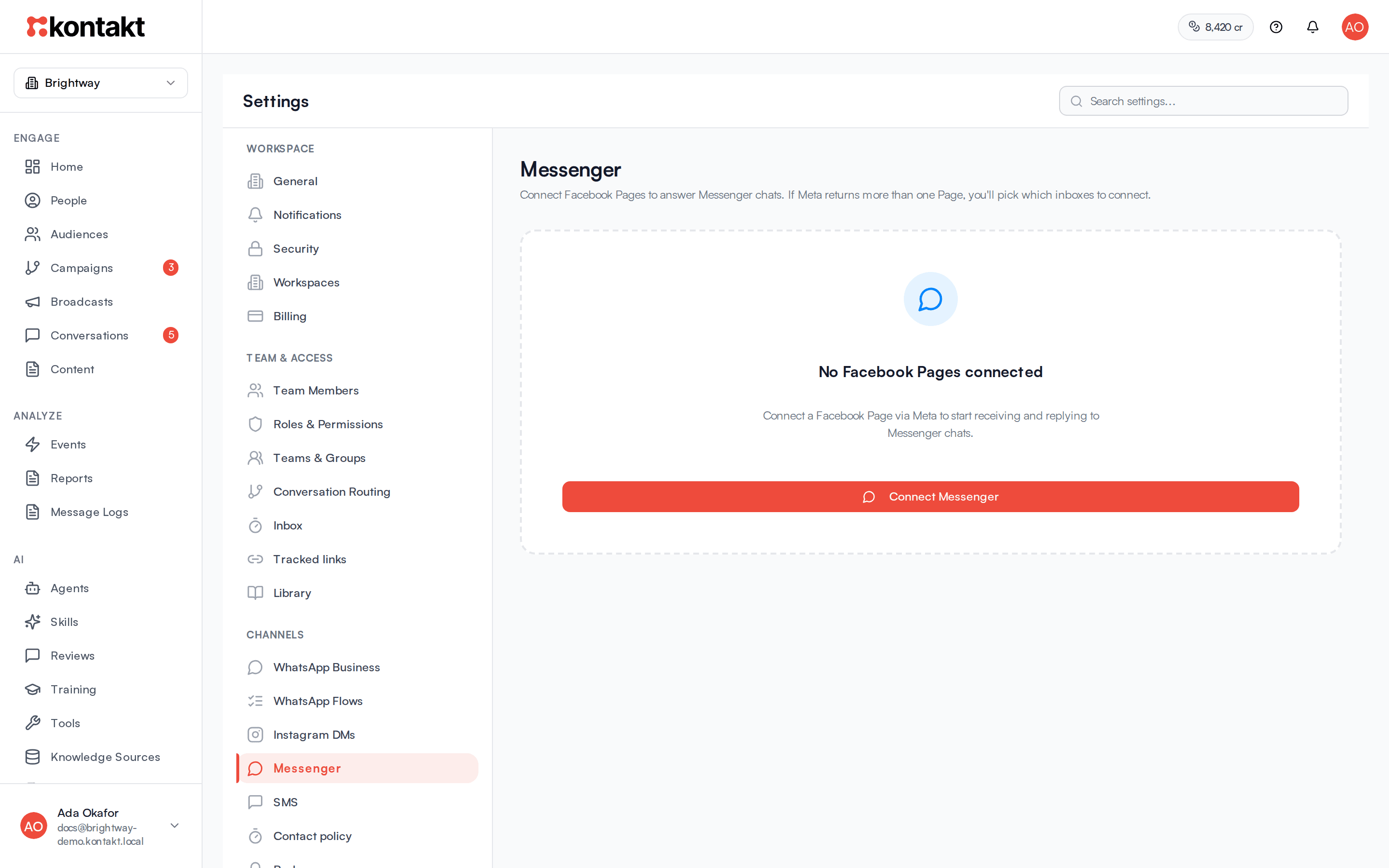
Go to Settings / Messenger. Click Connect Messenger, or Add Page if a Page is already connected.
Log in with Facebook
You are sent to Meta to log in. Select the Pages you want Kontakt to use and allow the permissions Meta asks for.
Pick the Pages
If your login manages more than one Page, Kontakt asks Which Facebook Pages? Tick the Pages, or click Select all, then click the Connect button, which shows how many Pages you picked.
Check the connection
You see Messenger connected. Back in Settings, each Page shows Active. If you see Webhooks not subscribed, click Retry subscribe. Until that succeeds, new chats won't arrive.
Bind an AI agent
To let an AI agent answer Messenger chats, open the agent in AI / Agents and tick the Page under Channel connections. See Agents.
Import earlier chats
Under Import Messenger history on the same page, choose the Page and a maximum number of conversations. Kontakt reads those chats so your AI agent can learn your tone and answers. See Reviews and training.
How it behaves
The messaging window
Messenger limits when a business can reply. The clock starts at the customer's last message.
| Time since the customer's last message | Who can reply |
|---|---|
| Up to 24 hours | Your team and the AI agent |
| 24 hours to 7 days | Your team only. The conversation shows Outside the standard 24-hour window. |
| More than 7 days | Nobody. The conversation shows Messaging window expired and the reply box is locked. |
There are no templates on Messenger, so you can't restart a conversation after the window closes. Wait for the customer to message again.
What you can send and receive
- Inbound: text, images, voice notes (transcribed for you and the AI), videos, files, button taps, and the ad a customer clicked to start the chat.
- Outbound: text, images, videos, and audio.
Replies from Facebook
If someone on your team replies from the Page inbox on Facebook instead of Kontakt, the reply still appears in the conversation, and the AI agent stops replying in that conversation so it doesn't talk over your teammate.
Status
- Active: messages flow both ways.
- Reconnect needed: Meta's access has expired. Click Reconnect.
- Disconnected: the Page was removed.
Disconnect
Click the bin icon next to the Page. New chats stop arriving in Kontakt and you can't reply from Kontakt on that Page.
Troubleshooting
"No Facebook Pages were returned"
You didn't select a Page during the Meta login, or your login can't manage one. Connect again and select the Page.
New chats don't arrive
Look for Webhooks not subscribed and click Retry subscribe. If the Page shows Reconnect needed, click Reconnect.
The reply box is locked
The last customer message is more than 7 days old. You can reply again after the customer sends a new message.
The AI stopped answering a conversation
A teammate replied from Facebook, or the conversation is past 24 hours.