Knowledge
Knowledge is what your agents answer from. You add sources, Kontakt compiles them into wiki pages, and skills search those pages when a customer asks a question.
Kontakt keeps knowledge in two places. Knowledge Sources are the raw material you add: documents, pasted text, websites, Google Drive files, and imported conversations. The Knowledge Wiki is what Kontakt compiles from them: topic pages with citations back to each source. When a skill uses Knowledge Search, it searches the wiki.
Before you start
- You need a role that can change workspace settings.
- Gather your FAQ, policies, price lists, and product information. Keep each source focused on one subject where you can.
- For Google Drive, have access to the files you want to use. See Google Drive.
Add a knowledge source
Open Knowledge Sources
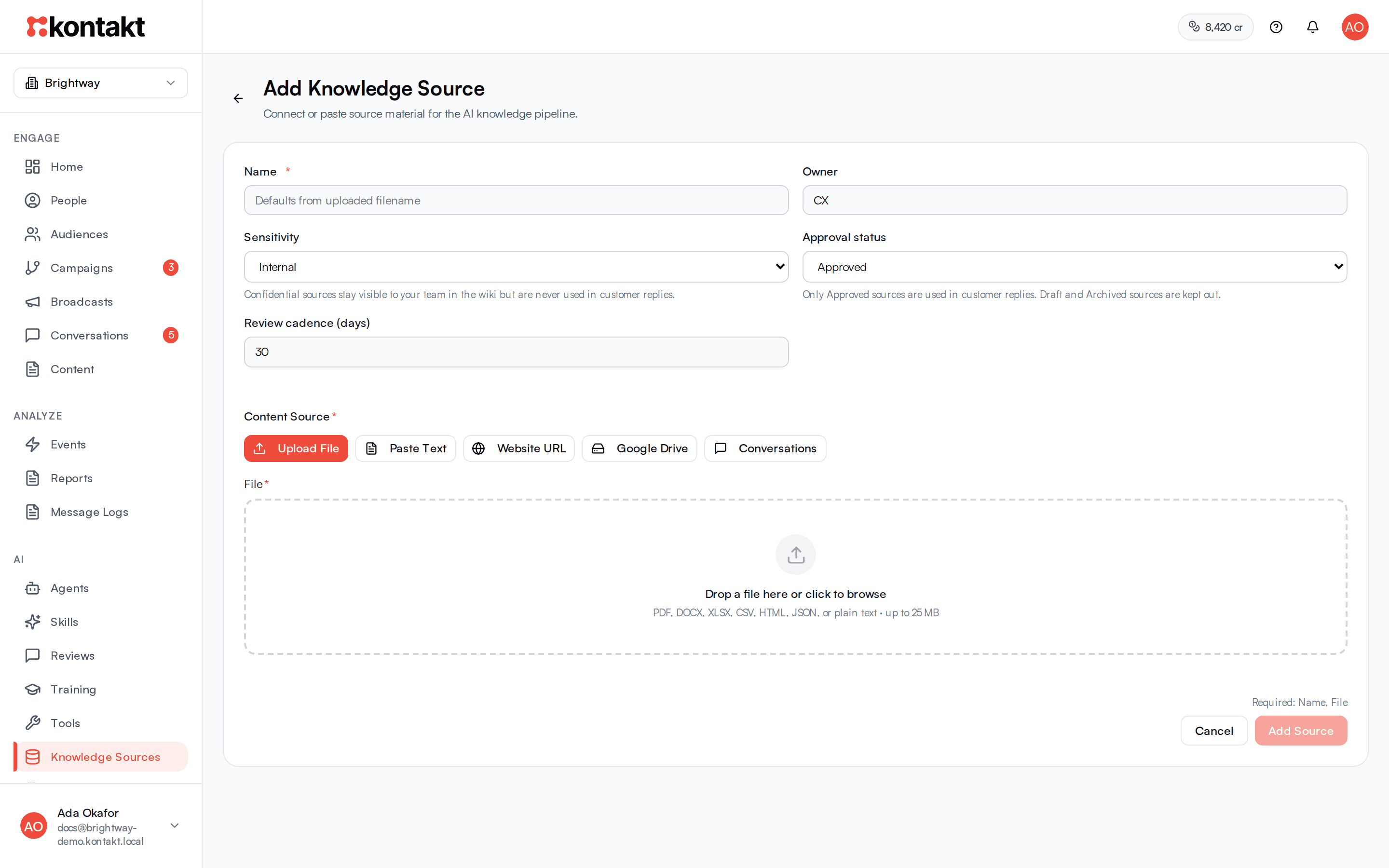
Go to AI / Knowledge Sources and select Add Source.
Pick the content type
Under Content Source, choose one:
- Upload File: PDF, DOCX, XLSX, CSV, HTML, JSON, or plain text, up to 25 MB.
- Paste Text: paste content into Raw text.
- Website URL: enter your site address. Kontakt crawls pages on that site and compiles them. The name defaults to the site's hostname.
- Google Drive: select Connect Google Drive, search Drive files, and pick one or more. Each file becomes its own knowledge source.
- Conversations: import past conversations. This uses the same flow as Training.
Fill in the details
Set a Name and an Owner for the team responsible for keeping it current. Sensitivity and Approval status control whether the AI can use the source when replying to customers. See Who sees a source. Review cadence (days) sets how often Kontakt refreshes the source. It defaults to 30 days, or 1 day for Drive files.
If something is missing, the form lists it after Required:.
Add it
Select Add Source. For websites the button reads Start Crawl, and for Drive it reads Add 1 Source or Add 2 Sources and so on. The source appears in the list with its status, and the list refreshes on its own while it syncs.
Who sees a source
Every source is still compiled into the Knowledge Wiki so your team can read it. Whether the AI uses it when replying to customers depends on two fields:
| Setting | Used in customer replies | Visible to your team in the wiki |
|---|---|---|
| Approval status is Approved and Sensitivity is Public or Internal | Yes | Yes |
| Approval status is Draft | No | Yes |
| Approval status is Archived | No | Yes |
| Sensitivity is Confidential | No | Yes |
"Customer replies" covers everything the AI writes for a customer: live replies, drafts waiting in review, and the agent Playground. Changes take effect on the next reply. You do not need to sync the source again.
If a wiki page is built from several sources and any one of them is Draft, Archived, or Confidential, the whole page is kept out of customer replies. Give each source its own subject so one draft does not hide approved content.
Manage sources
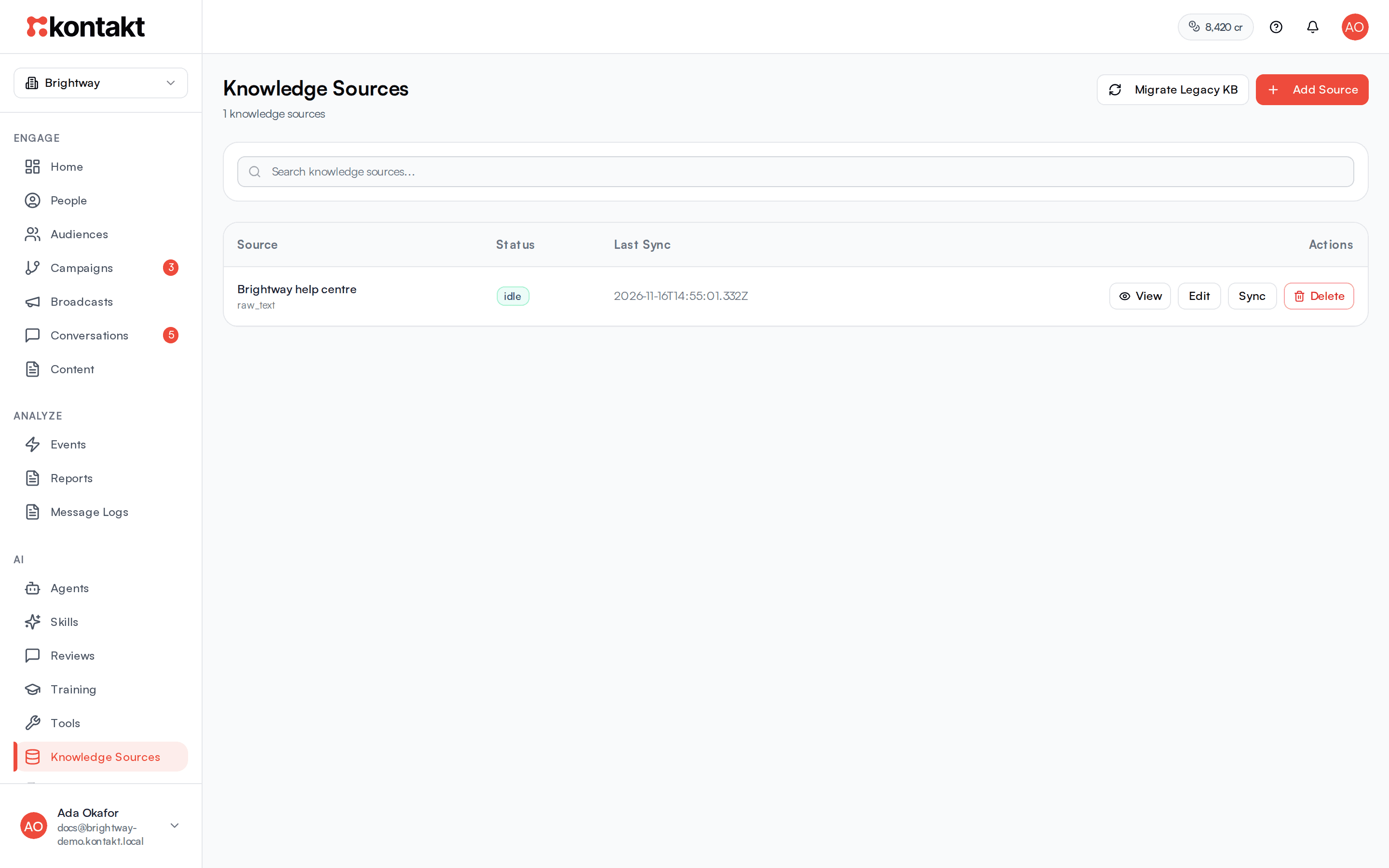
The sources table shows each source's status and last sync time. Sources the AI will not use for customers show why, for example Draft: not used in customer replies. For each source you can:
- View: read the parsed text Kontakt extracted, open the original file, Drive file, or website, and Copy text.
- Edit: change the Name, Owner, Sensitivity, Approval status, and Review cadence (days), then select Save Source.
- Sync: compile the source again now. If the last sync failed, this button reads Retry.
- Delete: before deleting, Kontakt shows which wiki pages will be removed, recompiled, or reindexed, which skills will be unlinked, and which training proposals will be cleared. A wiki page you edited by hand is kept even if it has no sources left.
How knowledge is kept up to date
- Google Drive files are watched. When a file changes, Kontakt syncs and recompiles it.
- Scheduled refresh: Kontakt checks weekly for sources whose review cadence has passed. Websites are crawled again, Drive files are synced again, and other sources are recompiled. If the content has not changed, the wiki is left as it is. Archived sources are skipped.
- Manual sync: select Sync on a source whenever you update it.
The Knowledge Wiki
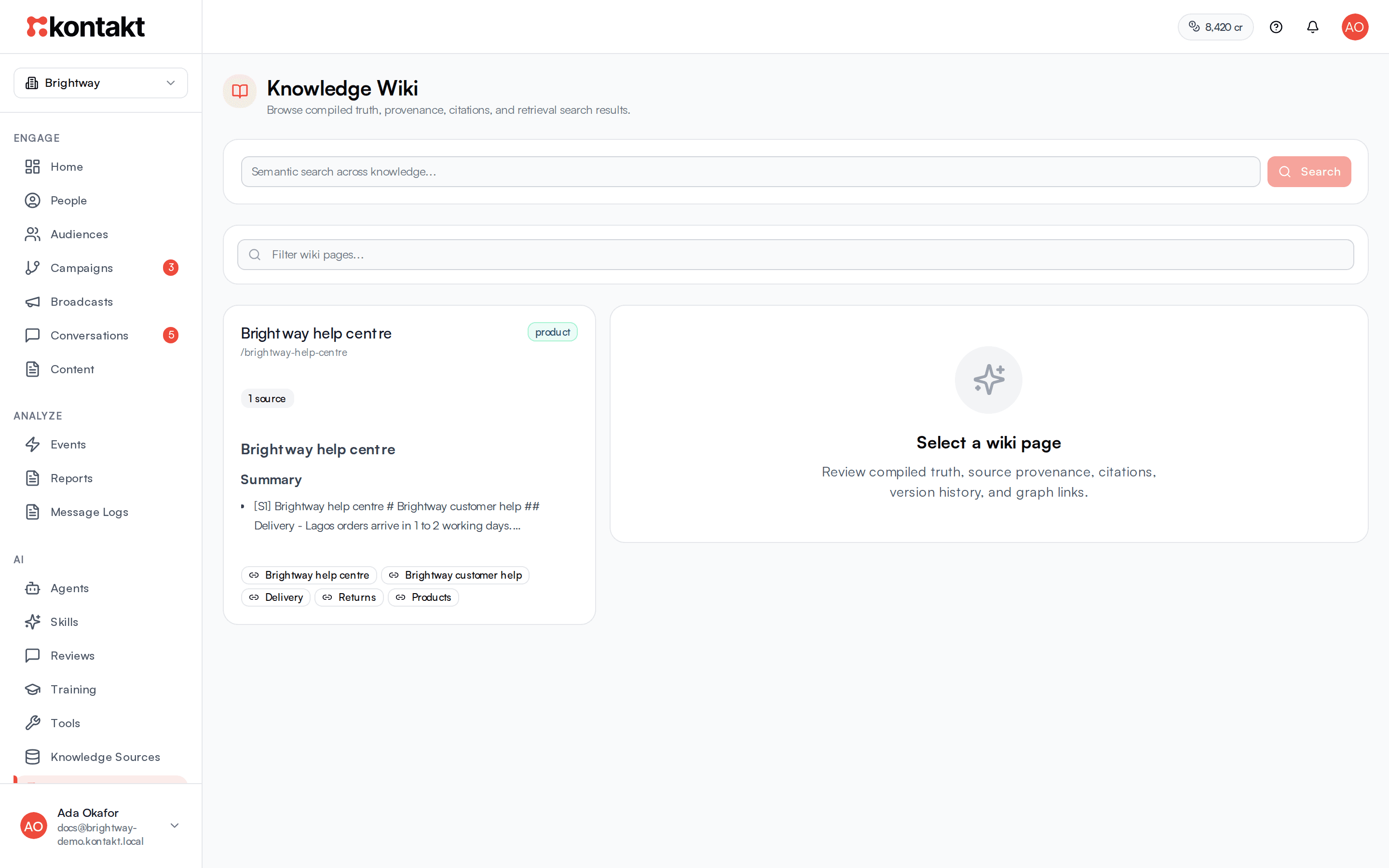
Go to AI / Knowledge Wiki to see what the AI will actually answer from.
- Type a question into Semantic search across knowledge... and select Search to see the top five matches and their scores. This is the quickest way to check whether a question will find the right answer. Wiki search includes Draft, Archived, and Confidential content for your team and marks it Not used in customer replies.
- Pages backed by a Draft, Archived, or Confidential source carry the same Not used in customer replies badge.
- Use Filter wiki pages... to find a page by name.
- Open a page to see its Compiled Truth with citations, any Contradictions to Review between sources, a timeline, and related topics. Other tabs show the Sources behind the page, its History, a Graph of related pages, and Edit.
Edit a wiki page by hand
On the Edit tab, change the compiled truth or timeline and select Save Manual Edit. The page is marked Manual edit and protected: later compiles will not overwrite your changes, so keep the page up to date yourself when the source changes.
How the AI finds knowledge
When a skill runs with Knowledge Search permitted, Kontakt searches the wiki before the model writes a reply and passes it the three best matching passages. The model can search again during the turn if it needs more. Search combines meaning-based matching with keyword matching, and gives extra weight to compiled wiki pages. Weak matches are dropped rather than passed to the model.
If a skill has specific knowledge sources linked, only those sources are searched. Otherwise the whole workspace knowledge is searched. Either way, Draft, Archived, and Confidential sources are left out.
What it costs
Knowledge work that you start yourself uses credits:
- Adding a website, or selecting Sync on one, is charged per page crawled plus a compile charge.
- Adding an uploaded file or pasted text, or selecting Sync on one, is charged a compile charge.
- Importing conversations is charged per conversation imported.
Scheduled refreshes and Google Drive syncs are not charged. See Credits and top-ups.
Troubleshooting
The AI says it does not know something that is in my document
Search for the question in the Knowledge Wiki. If the match shows Not used in customer replies, set the source to Approved and not Confidential. If nothing relevant comes back, the source may still be syncing, may have failed (look for Retry), or may phrase things very differently from your customers. Add a short FAQ entry that uses your customers' words. Also check that the skill has Knowledge Search ticked.
The AI gives an old answer
Select Sync on the source after you change it. If the wiki page shows Manual edit, your hand edit is protecting the old text. Update the page on its Edit tab.
Two sources disagree
Open the wiki page and check Contradictions to Review. Fix or delete the outdated source, then sync.
A website crawl picked up too little
The crawler follows links on the same site and skips pages with almost no text. Add important pages, such as pricing or returns, as their own sources or paste their text.